
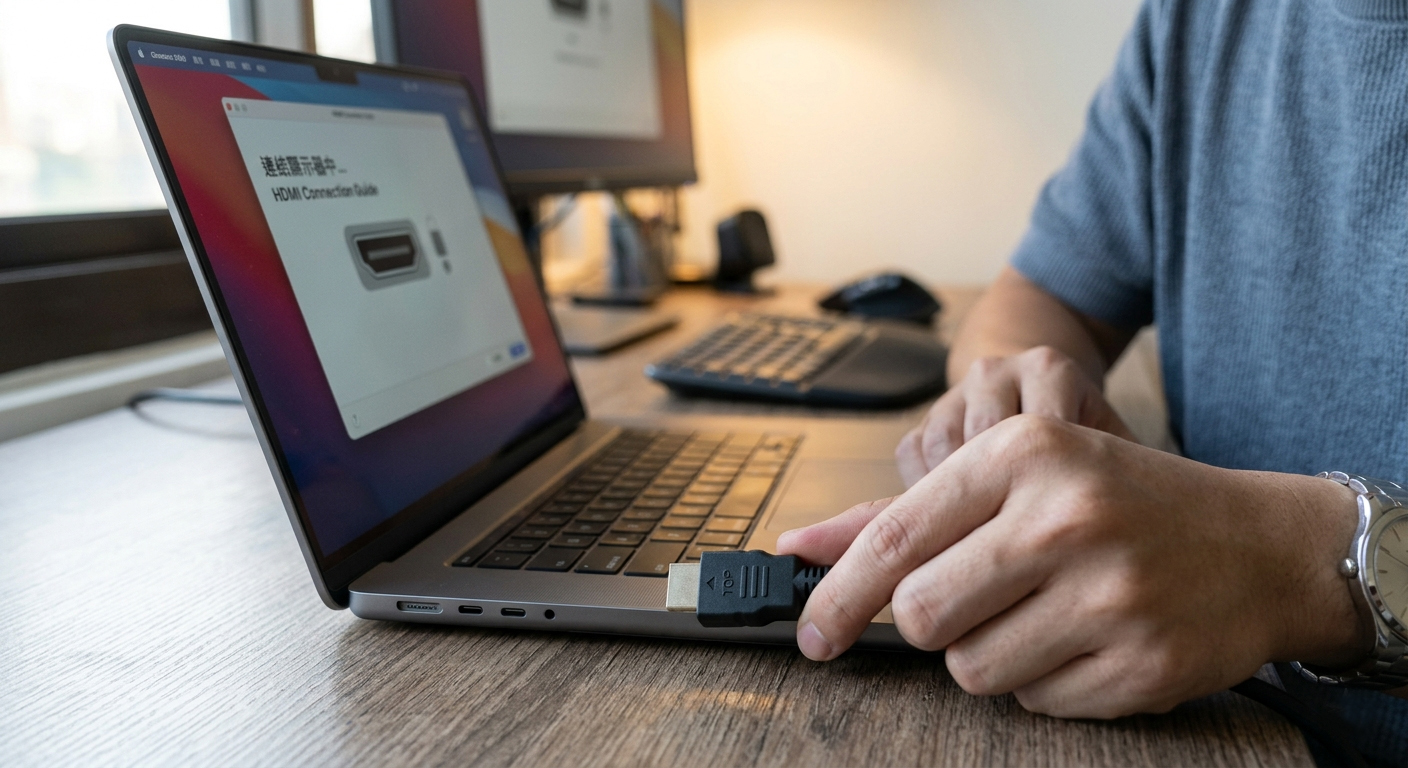
HDMI Connector Configuration Guide: Mechanical Design and User Experience (UX) from the Perspective of Plug Orientation
In modern electronic product design, the HDMI (High-Definition Multimedia Interface) connector has become the global standard for high-quality audio-visual transmission. However, during the stage of Industrial Design (ID) and Mechanical Engineering (ME), engineers face a deceptively simple yet critical question: Which way should the HDMI port face?
This decision dictates not only user convenience but also deeply impacts PCB Layout, Mechanical Strength, and Signal Integrity (SI).
I. Physical Structure: The Orientation of Poka-yoke Design
HDMI interfaces were designed with a built-in Poka-yoke (mistake-proofing) mechanism. Its unique trapezoidal shape ensures that users can intuitively identify the correct orientation, even during "blind-mating."
-
Long Side vs. Short Side Relationship A standard HDMI (Type A) port is wider at the top (long side) with two slanted corners at the bottom (short sides). This asymmetrical geometry requires the plug and socket to align perfectly before engagement.
-
Internal Pin Distribution The Type A connector contains 19 pins distributed across two layers (10 pins on top, 9 on bottom). This non-symmetrical arrangement serves both high-speed differential signaling needs and physical alignment accuracy.
-
User Intuition in Blind-Mating In most horizontal configurations for TVs and monitors, the long side faces up by default. This allows users to successfully plug in the cable by feel when the port is out of sight.
II. Spatial Configuration: Impact of Three Common Orientations on PCB Layout
Designers must choose an orientation based on the device's housing constraints and PCB logic. Here are the three most common configurations:
A. Side Entry (Horizontal)
The plugging direction is parallel to the side of the device.
■ Typical Applications: Smartphones, laptops, GPUs, and side ports on TVs.
■ Pros: Highly convenient for users to swap cables without moving the device. Ideal for ultra-thin products like Ultrabooks.
■ Cons: When using heavy Ultra High Speed (HDMI 2.1) cables, gravity creates a significant downward pull. This leverage can damage PCB solder joints or loosen the housing over time.
B. Rear Entry (Horizontal)
The plugging direction is perpendicular to the back of the device, with the cable extending straight out.
■ Typical Applications: TV main ports, gaming consoles (PS5, Xbox), and desktop PCs.
■ Pros: Keeps cables hidden behind the machine, maintaining a clean aesthetic for home theaters and desks.
■ Cons: For wall-mounted TVs, the stiff cable may press against the wall. Designers often mitigate this by using 90-degree L-shaped adapters or Mid-Mount (sink-type) connectors to reduce height.
C. Vertical (Bottom/Top Entry)
The plugging direction is vertical relative to the ground.
■ Typical Applications: Professional monitors, industrial PCs, and ultra-thin wall-mount displays.
■ Pros: Aligns with the force of gravity, reducing lateral stress on the connector. It significantly saves depth space (perfect for flush-mount designs).
■ Cons: Highly unintuitive for the user, often requiring the screen to be tilted or flipped to see the port.
III. User Experience (UX): Why Direction Matters
Engineers must balance design requirements with UX by evaluating two key factors:
-
Torque and Leverage on Mechanical Strength If a vertical SMT (Surface Mount Technology) connector is used, the insertion force is transmitted directly to the solder pads. Without robust Through-hole Shell Legs or sufficient PCB reinforcement, the connector can snap or cause PCB delamination.
-
Bending Radius vs. High-Speed Signals HDMI 2.1 (8K@60Hz) cables require thicker shielding and conductors, making them stiff. If the spatial configuration is too cramped, users are forced to over-bend the cable. This disrupts Impedance Matching in the differential pairs, leading to signal degradation, flickering, or total blackouts.
Summary: Which Orientation is Best?
There is no "perfect" direction—only the right one for your specific use case:
■ For Portability/Thinness: Choose Side Entry (Right Angle) for easier PCB routing.
■ For Aesthetics/Desktops: Choose Rear Entry but account for wall clearance.
■ For Wall-Mounts/Stress Reduction: Choose Vertical (Bottom Entry) to save depth and utilize gravity.
HDMI Connector FAQ
Q1: What is the top priority when designing HDMI port orientation?
A: It depends on the application. For thin consumer electronics, space and SMT manufacturability are primary. For automotive or wall-mounted equipment, durability and cable bending radius (especially for HDMI 2.1) are critical.
Q2: Why are smartphones moving away from Micro HDMI (Type D)?
A: Smartphones require extreme integration. While Type D is small, it still occupies significant PCB real estate. The industry has shifted to USB Type-C with DP Alt Mode, which offers high-speed video output while providing much higher design flexibility.
Q3: Can non-premium HDMI cables work on HDMI 2.0/2.1 devices?
A: Occasionally, yes. Standard cables might handle 4K@30Hz over short distances, but stability isn't guaranteed. For HDMI 2.1 (8K/4K 120Hz), non-certified cables will almost certainly cause flickering, EMI issues, or blackouts due to high-frequency signal loss.